
Load/Save Projects
Exaplan allows you to save and load your layer configuration as a project, this includes:
- File paths for each layer.
- Opacity.
- Scale, position, orientation.
Interface
Section titled “Interface”Use the menus on the bottom right of the interface to Load/Save projects.
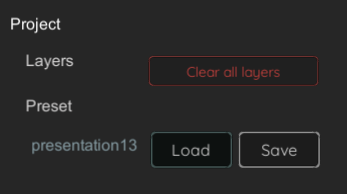
Command Line
Section titled “Command Line”You can load a project with the Exaplan.exe CLI automatically on startup:
Exaplan.exe -startup "E:\tmp\Presets\startup.json"Sample Project (startup.json)
Section titled “Sample Project (startup.json)”{ "layers": [ { "LayerIndex": 0, "filePath": "E:\\tmp\\technical-drawing-orthographic-view-scaled.jpg", "layerType": 1, "pdfPageIndex": 0, "opacity": 1.0, "layerPosition": { "x": 0.0, "y": 0.009999999776482582, "z": 0.0 }, "layerRotation": { "x": 0.0, "y": 90.0, "z": 0.0 }, "layerScale": { "x": 0.6287494897842407, "y": 1.0, "z": 0.44454553723335268 } }, { "LayerIndex": 1, "filePath": "E:\\tmp\\36472-1._architectural_final.pdf", "layerType": 2, "pdfPageIndex": 2, "opacity": 0.3984285593032837, "layerPosition": { "x": -0.543750524520874, "y": 0.010999999940395356, "z": 6.228750228881836 }, "layerRotation": { "x": 0.0, "y": 90.0, "z": 0.0 }, "layerScale": { "x": 4.231878280639648, "y": 1.0, "z": 2.9887640476226808 } }, { "LayerIndex": 2, "filePath": "", "layerType": 0, "pdfPageIndex": 0, "opacity": 1.0, "layerPosition": { "x": 0.0, "y": 0.012000000104308129, "z": 0.0 }, "layerRotation": { "x": 0.0, "y": 90.0, "z": 0.0 }, "layerScale": { "x": 1.0, "y": 1.0, "z": 1.0 } }, { "LayerIndex": 3, "filePath": "", "layerType": 0, "pdfPageIndex": 0, "opacity": 1.0, "layerPosition": { "x": 0.0, "y": 0.013000000268220902, "z": 0.0 }, "layerRotation": { "x": 0.0, "y": 90.0, "z": 0.0 }, "layerScale": { "x": 1.0, "y": 1.0, "z": 1.0 } } ]}