
VIOSO Warp Blend
Exaplan can apply warping and blending to the multi-projection canvas based on a VIOSO (.vwf) file.
The file can be generated from VIOSO Calibration software (Anyblend, VIOSO6, VIOSO7 or Projection Tools - Mapper2D). It needs to be in the following format:
- 2D
- Single Mapping, no splits
- Single file (merge all).
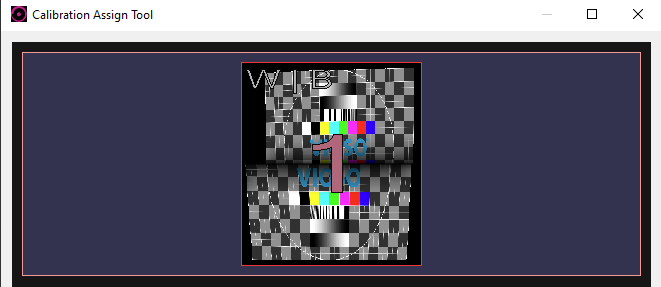
Below is an example with a 2x channel calibration file opened in the viewer:
- To activate the warp & blend in Exaplan, go to the
Configuration fileand set theVIOSOWarpBlendparameter to “true”. - Next, you need to configure the VIOSOWarpBlend .ini file to reference the (.vwf) export as shown below:
\Exaplan_Data\StreamingAssets\VIOSOWarpBlend.ini
// VIOSOWarpBlend.ini for Exaplan[default]
logLevel=2
base=[1000, 0, 0, 0; 0, 1000, 0, 0; 0, 0, -1000, 0; 0, 0, 0, 1]eye=[0,0,0]near=0.15000 ;the near plane clipping distancefar=10000.00000 ;the near plane clipping distance

bAutoView=1;autoViewC=1.00000 ;bTurnWithView=1bBicubic=1bDoNoBlack=0

;Path for the calibration file exported from VIOSO.calibFile=C:\Users\AJ\Documents\VIOSO\VIOSO6\Export\screen.vwf
;Camera name in Unity[ProjectionCamera]calibIndex=0
For the full reference of the .ini file, visit: https://docs.vioso.com/integration/vioso-warpblend-api/viosowarpblend.ini-reference